
Picture of URL Redirect Plugin

URL Redirect Plugin

Redirect old URLs, catch broken links and keep your search rankings safe, all from your nopCommerce admin.

Supported Versions: 3.80, 3.90, 4.00, 4.10, 4.20, 4.30, 4.40, 4.50, 4.60, 4.70, 4.80, 4.90, 5.00.

$39.00
*
*
*

Description

URL Redirects Plugin for nopCommerce

Moved a page? Renamed a category? Switched from another platform? Every old link that stops working costs you visitors and search rankings. URL Redirects fixes that by sending people and search engines from the old address straight to the right page.

It's just as useful for cleaning up the broken links Google Search Console keeps flagging. Permanent redirects (301/308) pass the old page's ranking on to the new one, so the SEO work you've already done isn't lost.

Key features

  •         Every redirect type you'll need. 301, 302, 303, 307 and 308 redirects, or a plain 204, 403, 404 or 410 response. Set a rule for one store or all of them.
  •         Three ways to match a URL. Use an exact address, a wildcard (*) or a regular expression, and reuse whatever you matched in the new URL.
  •         Flexible target URLs. Build the destination with placeholders like $1, ${name}, %path%, %query%, %lastpart%, %remover1% and %subPath%, and tidy it up with functions such as {lower:…}, {slug:…}, {urlencode:…} and {trim:…}.
  •         One address per page. Optionally redirect uppercase URLs to lowercase and pick a single trailing-slash style. Both changes happen in one redirect, not two.
  •         A 404 log you can act on. See each broken URL with its request count and referrer, then turn it into a redirect with one click.
  •         Old slugs, handled. On product, category and manufacturer pages, a panel shows the old slugs and turns them into 301 rules for you.
  •         Bulk changes with CSV. Import and export rules, which makes migrations much less painful.
  •         Test before you publish. The URL tester shows which rule would match, so you can check a change before it goes live.
  •         A clear dashboard. See whether redirects are on, how many rules are active, and how many broken URLs and requests you have.
  •         Rule hit counter. Optionally track how often each rule is used and when it last fired.
  •         Made for multi-language and multi-store. Strip the language prefix before matching if you need to. Rules for the current store win over rules for all stores.
  •         Point old product and category URLs to their new homes after a rename or restructure.
  •         Move to nopCommerce from another platform without losing your rankings.
  •         Clear out the 404 errors reported in Google Search Console.
  •         Move a whole section with one wildcard rule, like /old-blog/* → /blog/$1.
  •         Send a section to a different website, like /old-store/* → https://www.newshop.com/$1.
  •         Retire pages that are gone for good with a 410 response.
  •         Block bot probes  with a 403, or quiet noisy tracking requests with a 204.

Common use cases

How it works

  1.        Install the plugin and switch it on from the Configure page.
  2.        Add rules by hand, import them from a CSV, or turn entries from the 404 log and the SEO slug panel into rules.
  3.        Try them out in the URL tester.
  4.        On every request, exact rules are checked first, then wildcard and regex rules. If nothing matches, URL normalization kicks in (when enabled).
  5.        If the page really doesn't exist, the URL lands in the 404 log so you can deal with it later.

Don't worry about breaking anything else: images, CSS, JS, the admin area and non-GET requests (forms, AJAX) are never touched.

Good to know: Use 301 for permanent moves. Browsers cache 301 redirects, so if you're not sure yet, test with a 302 first.

Reviews
Write your own review
*
*
*
*
  • Bad
  • Excellent

Where are you on this map? Let us know your needs in detail so we can help you come up with a solution and start out quickly.

Request A FREE Quote
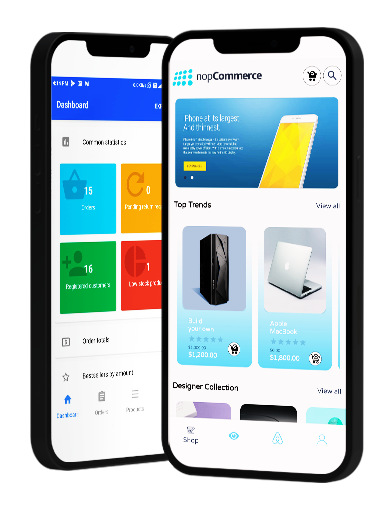

nopCommerce Trending Mobile Application

Image
Image

Native

Image

Flutter

Image

Android

Image
x